How to deploy Django in Docker?
Learn how to deploy Django applications using Docker. A step-by-step guide for developers to deploy django projects.
6 min read • 3/19/2026
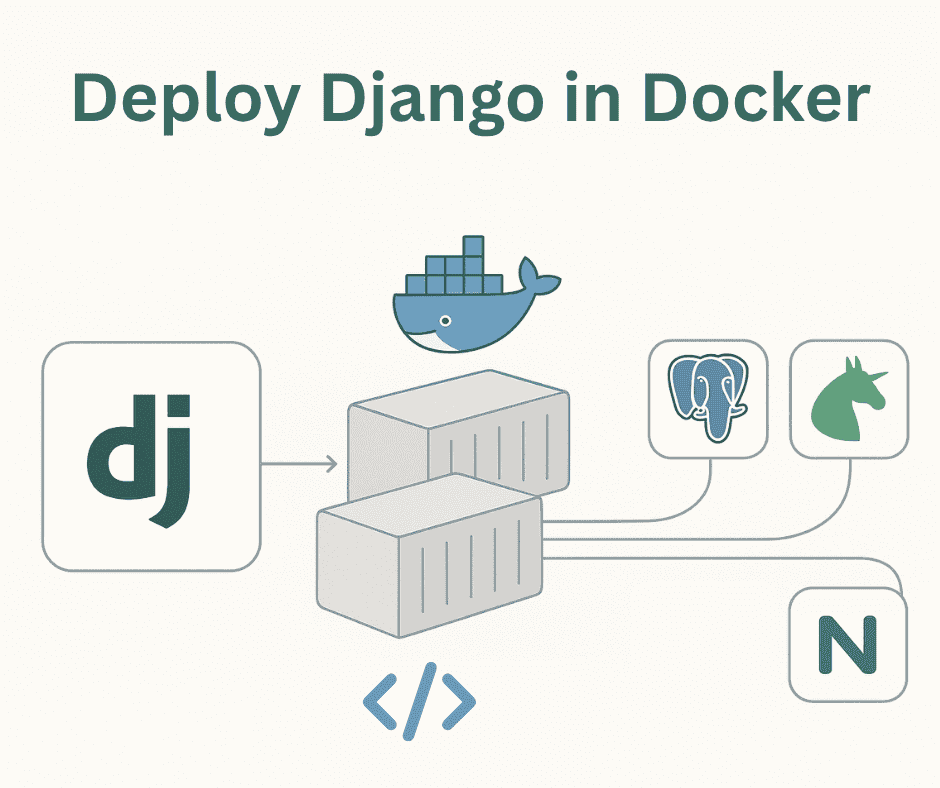
Django is one of the most popular Python-based full-stack web frameworks, widely known for its speed, security, and scalability. It provides a powerful foundation for building complex, data-driven web applications efficiently and with clean architecture.
In this article, we will explore how to deploy a Django application for production using PostgreSQL, Docker, and Nginx. Our setup will include PostgreSQL as the database backend, Gunicorn as the WSGI server to handle application requests, and Nginx as the reverse proxy to serve static files (like images, JavaScript, and CSS) and route traffic efficiently. Docker will be used to containerize the entire application, ensuring portability and easier scalability.
So, let’s dive in and learn how to deploy a Django application in a production-grade environment!
Configuration
Before setting up our deployment system, we first need to configure Django properly. It is a best practice in production environments to keep sensitive information (like database credentials and secret keys) outside of your codebase. To achieve this, we’ll store them in an .env file.
Here’s an example of what your .env file might look like:
# .env
SECRET_KEY='django-insecure-9k+!%tzr++-avd-aeedc-@6a+icy#x(z3kqjz05o65-l*&#p9q'
DEBUG=False
ALLOWED_HOSTS=localhost,127.0.0.1

POSTGRES_DB=django_db
POSTGRES_USER=django_user
POSTGRES_PASSWORD=django_pass
POSTGRES_HOST=db
POSTGRES_PORT=5432
In this configuration:
- SECRET_KEY is used for Django’s cryptographic signing and must remain confidential.
- DEBUG is set to
Falsein production for security. - ALLOWED_HOSTS defines which domains or IPs can access your app.
- POSTGRES_DB, POSTGRES_USER, POSTGRES_PASSWORD, POSTGRES_HOST, and POSTGRES_PORT contain the PostgreSQL database credentials used to connect your Django application to the database container.
settings.py Configuration
Now, let’s update our Django settings.py to read these environment variables and configure our database, static files, and templates properly.
# settings.py
from pathlib import Path
import os
BASE_DIR = Path(__file__).resolve().parent.parent

SECRET_KEY = os.environ.get("SECRET_KEY")
DEBUG = os.environ.get("DEBUG", "True") == "True"
ALLOWED_HOSTS = os.environ.get("ALLOWED_HOSTS", "*").split(",")

INSTALLED_APPS = [
 'django.contrib.admin',
 'django.contrib.auth',
 'django.contrib.contenttypes',
 'django.contrib.sessions',
 'django.contrib.messages',
 'django.contrib.staticfiles',
 'app',
]

MIDDLEWARE = [
 'django.middleware.security.SecurityMiddleware',
 'django.contrib.sessions.middleware.SessionMiddleware',
 'django.middleware.common.CommonMiddleware',
 'django.middleware.csrf.CsrfViewMiddleware',
 'django.contrib.auth.middleware.AuthenticationMiddleware',
 'django.contrib.messages.middleware.MessageMiddleware',
 'django.middleware.clickjacking.XFrameOptionsMiddleware',
]

ROOT_URLCONF = 'core.urls'

TEMPLATES = [
 {
 'BACKEND': 'django.template.backends.django.DjangoTemplates',
 'DIRS': [BASE_DIR / "templates"],
 'APP_DIRS': True,
 'OPTIONS': {
 'context_processors': [
 'django.template.context_processors.request',
 'django.contrib.auth.context_processors.auth',
 'django.contrib.messages.context_processors.messages',
 ],
 },
 },
]

WSGI_APPLICATION = 'core.wsgi.application'

DATABASES = {
 'default': {
 'ENGINE': 'django.db.backends.postgresql',
 'NAME': os.environ.get('POSTGRES_DB'),
 'USER': os.environ.get('POSTGRES_USER'),
 'PASSWORD': os.environ.get('POSTGRES_PASSWORD'),
 'HOST': os.environ.get('POSTGRES_HOST'),
 'PORT': os.environ.get('POSTGRES_PORT'),
 }
}

AUTH_PASSWORD_VALIDATORS = [
 {'NAME': 'django.contrib.auth.password_validation.UserAttributeSimilarityValidator'},
 {'NAME': 'django.contrib.auth.password_validation.MinimumLengthValidator'},
 {'NAME': 'django.contrib.auth.password_validation.CommonPasswordValidator'},
 {'NAME': 'django.contrib.auth.password_validation.NumericPasswordValidator'},
]

LANGUAGE_CODE = 'en-us'
TIME_ZONE = 'UTC'
USE_I18N = True
USE_TZ = True

STATIC_URL = '/static/'
STATIC_ROOT = BASE_DIR / "staticfiles"
STATICFILES_DIRS = [BASE_DIR / "static"]
Here’s what’s happening:
-
We’re using
os.environ.get()to fetch sensitive configurations from the.envfile. -
The
DATABASESblock connects Django to PostgreSQL. -
The
STATIC_URL,STATIC_ROOT, andSTATICFILES_DIRSsettings handle static files.-
STATICFILES_DIRS is where your source static files live during development.
-
STATIC_ROOT is the folder where Django collects all static files when you run
python manage.py collectstatic. Nginx will later serve this directory in production.
-
This setup ensures that your application remains secure, flexible, and production-ready.
Docker Setup
Now that our Django application is configured, the next step is to containerize it using Docker. Containerization ensures consistency across environments, makes deployment faster, and simplifies scaling. To make managing multiple services easier, we’ll also use Docker Compose.
Dockerfile
Here’s an example of a simple yet production-ready Dockerfile for our Django application:
#Dockerfile
# Use a lightweight official Python base image
FROM python:3.12-slim

# Set environment variables to improve performance and reliability
ENV PYTHONDONTWRITEBYTECODE=1
ENV PYTHONUNBUFFERED=1

# Set working directory inside container
WORKDIR /app

# Install system dependencies
RUN apt-get update && apt-get install -y \
 build-essential libpq-dev && \
 rm -rf /var/lib/apt/lists/*

# Copy and install Python dependencies
COPY requirements.txt .
RUN pip install --upgrade pip && pip install -r requirements.txt

# Copy the rest of the Django project files
COPY . .

# Expose Django/Gunicorn port
EXPOSE 8000

# Start Gunicorn (production-grade WSGI server)
CMD ["gunicorn", "core.wsgi:application", "--bind", "0.0.0.0:8000"]
Explanation:
- We start with the official Python 3.12 slim image for a lightweight base.
- System dependencies like
libpq-devare installed to support PostgreSQL. - The project files are copied into the container, and dependencies from
requirements.txtare installed. - Port 8000 is exposed, which Gunicorn uses to serve the Django application.
- Finally, Gunicorn launches the Django app efficiently for production use.
Note: Don’t forget to include gunicorn in your requirements.txt file.
docker-compose.yml
Our docker-compose.yml file helps manage all services like Django (web), PostgreSQL (db), and Nginx (reverse proxy) in one place.
# docker-compose.yml
services:
 web:
 build: .
 container_name: django_web
 volumes:
 - .:/app
 - static_volume:/static
 env_file:
 - .env
 expose:
 - "8000"
 depends_on:
 - db

db:
 image: postgres:16
 container_name: postgres_db
 restart: always
 env_file:
 - .env
 volumes:
 - postgres_data:/var/lib/postgresql/data/

nginx:
 image: nginx:alpine
 container_name: nginx_server
 ports:
 - "80:80"
 volumes:
 - static_volume:/static
 - ./nginx/nginx.conf:/etc/nginx/conf.d/default.conf
 depends_on:
 - web

volumes:
 postgres_data:
 static_volume:
Docker Service Overview
- web: Runs the Django application inside the Docker container using Gunicorn. It reads environment variables from
.envand mounts volumes for code and static files. - db: Uses the official PostgreSQL 16 image. The database data is persisted using a named Docker volume (
postgres_data), so it won’t be lost when the container restarts. - nginx: Acts as a reverse proxy, routing requests from port 80 to the Gunicorn server running on port 8000. It also serves static files from the
static_volume.
If your database is hosted elsewhere (like AWS RDS or Supabase), you can safely remove the db service and simply update your .env file with the external database credentials.
Nginx Configuration
To use Nginx as our reverse proxy and static file server, we need to create an nginx.conf file that defines how requests are handled. Below is a simple yet effective configuration for our setup:
server {
 listen 80;

    # Handle static files
    location /static {
        alias /static;
        autoindex on;
    }

    # Proxy all other requests to Django (Gunicorn)
    location / {
        proxy_pass http://web:8000;
        proxy_set_header Host $host;
        proxy_set_header X-Real-IP $remote_addr;
        proxy_set_header X-Forwarded-For $proxy_add_x_forwarded_for;
        proxy_set_header X-Forwarded-Proto $scheme;
    }

}
Explanation:
- The
/staticblock serves all collected static files directly from the shared Docker volume. - The root (
/) block proxies all other incoming requests to the Gunicorn server running inside thewebcontainer. - Header forwarding ensures the Django application receives correct client information, such as IP address and protocol.
Running the Containers
Once all configuration files are in place (Dockerfile, docker-compose.yml, .env, and nginx.conf), we can build and start our application with a single command:
docker-compose up -dThis command builds the images (if not already built) and runs all containers in detached mode. After a few moments, your Django application will be live, but before it looks perfect, we need to perform some additional setup steps inside the container.
Post-Setup Commands
When running Django for the first time, you must migrate the database, create a superuser (optional), and collect static files for Nginx to serve.
Run the following commands:
# Apply database migrations

docker-compose run --rm web python manage.py migrate

# (Optional) Create an admin superuser

docker-compose run --rm web python manage.py createsuperuser

# Collect all static files for production

docker-compose run --rm web python manage.py collectstatic --noinput
Once these steps are complete, your static files will be available to Nginx, and your site will be fully accessible via the proxy server with no direct exposure of your backend to the internet.
Conclusion
Docker has become a standard tool across tech companies because it enables consistent environments, efficient resource management, and smooth scalability.
In this guide, we deployed a Django application with PostgreSQL, Gunicorn, and Nginx, all orchestrated through Docker Compose.
We also learned how to:
- Securely manage environment variables via
.envfiles. - Run Django migrations and collect static files inside containers.
- Use Nginx as a reverse proxy to serve static files and protect the backend server.
With this setup, you now have a production-ready, modular, and maintainable Django deployment ready to scale and perform reliably under real world workloads.
You Might Also Like
 Design & Architecture
Building a Pluggable Application with FastAPI and React
Some applications need a different architectural approach from the traditional way of building web systems. One useful option is pluggable architectur
11 min read
 Design & Architecture
Beyond Monoliths: Designing Software with a Plug-and-Play Mindset
In the early days of software development, most companies and developers used monolithic architecture to build systems. It is a traditional approach t
5 min read
 Best Practices
The Missing Piece of JWT Auth: Implementing Token Invalidation in FastAPI
JWT stands for JSON Web Token. It is an open standard that defines a compact and self-contained way to securely transfer data between two or more part
12 min read