JWT Authentication with Django Rest Framework
JWT Authentication with Django Rest Framework explained with a step-by-step guide to generate tokens, secure APIs, and implement authentication in Django.
4 min read • 3/21/2026
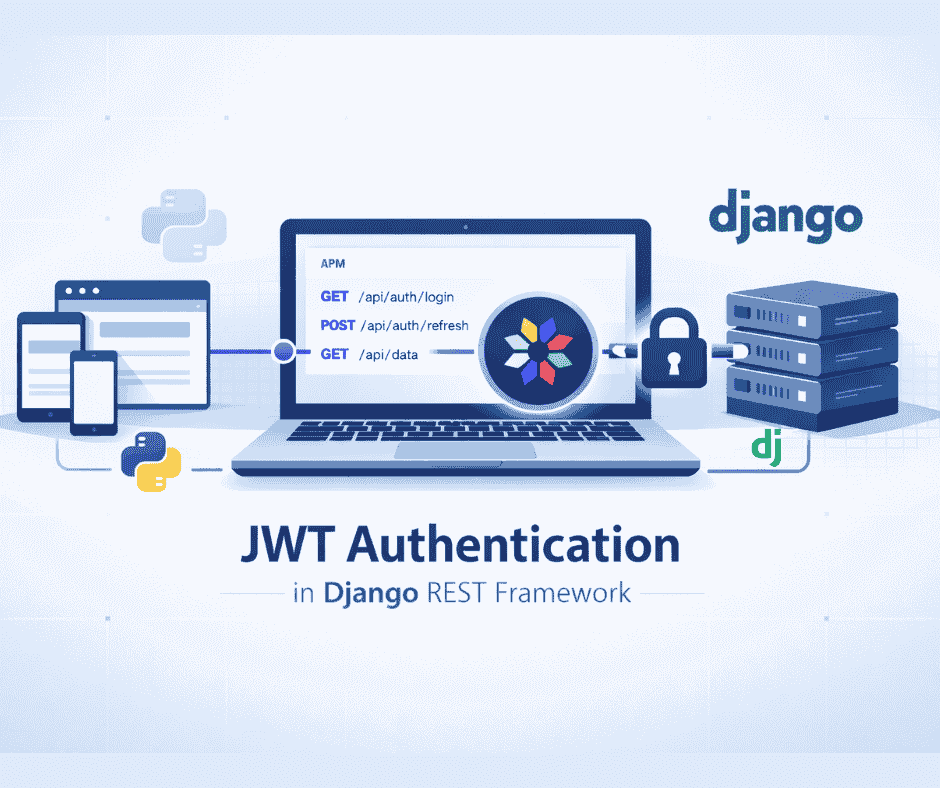
Python is the most popular and widely used programming language in the world, and many well-known companies are using it. It is a multi-purpose, high-level programming language used to develop a wide range of applications. Python is used in automation, machine learning, data science, web scraping, DevOps, and other areas.
Django is a well-known Python-based full-stack framework that implements the MVT (Model–View–Template) architecture. It is among the strongest and most developer-friendly frameworks for creating clean, efficient, and powerful websites in the least time.
REST API is a very common method for developing APIs. REST, or Representational State Transfer, is a software architectural style for creating web services. REST APIs primarily transmit JSON data between the server and the client over web protocols and differentiate their functions using HTTP methods such as GET, POST, PUT, PATCH, and DELETE.
In Django, we use Django REST Framework to make APIs. It is a very powerful and flexible set of tools for creating great APIs. Beyond supporting Django's core features, it extends the framework's capabilities for building API-centric applications.
JWT authentication is the process of verifying users with a JWT token. JWT stands for JSON Web Token. It is widely used and recognized as one of the secure methods of authentication in modern application development. It is mainly used in web applications, mobile apps, and APIs to verify users and also to restrict access to unauthenticated and unauthorized users.
A JWT token has encoded information that is digitally signed using the secret key to maintain its integrity. JWT is, in itself, quite a complicated mechanism, as it involves various algorithms, signing keys, and encoding methods. You can learn more about JWT here: https://www. jwt.io
Now, let’s implement JWT authentication in the Django REST Framework while building APIs.
To use JWT authentication, we will use the djangorestframework-simplejwt library.
First, set up a Django REST project and install the djangorestframework-simplejwt library using the following command:
pip install djangorestframework-simplejwtAfter installing the library, we need to configure some settings. First, add the following to the INSTALLED_APPS section in the settings.py file.
# settings.py
INSTALLED_APPS = [
  "django.contrib.admin",
  "django.contrib.auth",
  "django.contrib.contenttypes",
  "django.contrib.sessions",
  "django.contrib.messages",
  "django.contrib.staticfiles",

  # Add the following
  "rest_framework",
]
After this, configure Django REST Framework to use JWT authentication.
# settings.py
# REST Framework Configuration
REST_FRAMEWORK = {
  "DEFAULT_AUTHENTICATION_CLASSES": [
      "rest_framework_simplejwt.authentication.JWTAuthentication",
  ],
}
Now, let’s create an app and then create the token generation endpoint, which is responsible for generating the access token and refresh token.
python3 manage.py startapp apiAfter creating the app, add it to the INSTALLED_APPS list.
# settings.py
INSTALLED_APPS = [
  "django.contrib.admin",
  "django.contrib.auth",
  "django.contrib.contenttypes",
  "django.contrib.sessions",
  "django.contrib.messages",
  "django.contrib.staticfiles",

  # Add the following
  "rest_framework",

  # My apps
  "api",
]
We will use the TokenObtainPairView and TokenRefreshView classes, which are responsible for generating and refreshing tokens. These are standard views provided by the SimpleJWT library. If needed, we can also override them to customize the behaviour.
# Project urls.py
from django.contrib import admin
from django.urls import path, include

urlpatterns = [
 path("admin/", admin.site.urls),
 path("api/", include("api.urls")),
]
# api/urls.py

from django.urls import path
from rest_framework_simplejwt. views import TokenObtainPairView, TokenRefreshView

urlpatterns = [
 path("token/", TokenObtainPairView.as_view(), name="token_obtain_pair"),
 path("token/refresh/", TokenRefreshView.as_view(), name="token_refresh"),
]
After setting this up, run migrations and create a superuser.
python3 manage.py migrate
python3 manage.py createsuperuser
Fill in the required information to create the superuser.
Now, let’s open Postman or any other API testing tool and try to generate an access token.
In this example, I am using curl.
curl --location 'http://localhost:8000/api/token/' \
--header 'Content-Type: application/json' \
--data '{
 "username": "admin",
 "password": "admin"
}'
The response will return both a refresh token and an access token.
{
 "refresh": "your_refresh_token",
 "access": "your_access_token"
}
Now, let’s create an endpoint that can only be accessed by an authenticated user. Then we will use the access token to access that endpoint.
# api/urls.py

from django.urls import path
from rest_framework_simplejwt.views import TokenObtainPairView, TokenRefreshView
from . import views

urlpatterns = [
 path("token/", TokenObtainPairView.as_view(), name="token_obtain_pair"),
 path("token/refresh/", TokenRefreshView.as_view(), name="token_refresh"),
 path("", views.HelloView.as_view(), name="hello_world"),
]
# api/views.py
from rest_framework.views import APIView
from rest_framework.response import Response
from rest_framework.permissions import IsAuthenticated

class HelloView(APIView):
 permission_classes = (IsAuthenticated,)

def get(self, request):
 content = {"message": "Hello, PythonForDeveloper"}
 return Response(content)
If we try to access this API endpoint without an authentication/JWT token, the web server will throw an unauthorized error.
# terminal / cmd
curl –location 'http://localhost:8000/api/'
Response:
{
 "detail": "Authentication credentials were not provided."
}
Now, let’s try to access the api endpoint using the access token/JWT Token we generated earlier.
curl --location 'http://localhost:8000/api/' \
--header 'Authorization: Bearer your_access_token'
Response:
{
 "message": "Hello, PythonForDeveloper"
}
The above code snippets show that the endpoint is protected/unauthorized and can only be accessed by the user who provides a valid JWT access token.
There are many additional configuration options available for JWT in the currently used library. You can specify them in the settings.py file as shown below:
# settings.py
from datetime import timedelta
from django.conf import settings

SIMPLE_JWT = {
 'ACCESS_TOKEN_LIFETIME': timedelta(minutes=5),
 'REFRESH_TOKEN_LIFETIME': timedelta(days=1),
 'ROTATE_REFRESH_TOKENS': False,
 'BLACKLIST_AFTER_ROTATION': False,
 'UPDATE_LAST_LOGIN': False,
 'ALGORITHM': 'HS256',
 'SIGNING_KEY': settings.SECRET_KEY,
 'VERIFYING_KEY': None,
 'AUDIENCE': None,
 'ISSUER': None,
 'JWK_URL': None,
 'LEEWAY': 0,
 'AUTH_HEADER_TYPES': ('Bearer',),
 'AUTH_HEADER_NAME': 'HTTP_AUTHORIZATION',
 'USER_ID_FIELD': 'id',
 'USER_ID_CLAIM': 'user_id',
 'USER_AUTHENTICATION_RULE': 'rest_framework_simplejwt.authentication.default_user_authentication_rule',
 'AUTH_TOKEN_CLASSES': ('rest_framework_simplejwt.tokens.AccessToken',),
 'TOKEN_TYPE_CLAIM': 'token_type',
 'TOKEN_USER_CLASS': 'rest_framework_simplejwt.models.TokenUser',
 'JTI_CLAIM': 'jti',
 'SLIDING_TOKEN_REFRESH_EXP_CLAIM': 'refresh_exp',
 'SLIDING_TOKEN_LIFETIME': timedelta(minutes=5),
 'SLIDING_TOKEN_REFRESH_LIFETIME': timedelta(days=1),
}
You can refer to the official documentation to gain more insight about what each setting represents:
https://simplejwt-test.readthedocs.io/en/latest/settings.html
This library is more flexible, and as a developer, you can also create a custom function to generate tokens for a user.
# Custom token generation function
from rest_framework_simplejwt.tokens import RefreshToken

def get_tokens_for_user(user):
 refresh = RefreshToken.for_user(user)

return {
 'refresh': str(refresh),
 'access': str(refresh.access_token),
 }
You can also use the refresh token for generating a new access token when the current access token expires. You can learn more about this process in the official documentation.
Conclusion
Django REST Framework is one of the most powerful frameworks for building REST APIs with Django. In today's applications, JWTs are most commonly used because they provide a secure, relatively simple way to implement authentication. As a developer, it is always good to understand how to implement JWT authentication with Django REST Framework.
You Might Also Like
 Design & Architecture
Building a Pluggable Application with FastAPI and React
Some applications need a different architectural approach from the traditional way of building web systems. One useful option is pluggable architectur
11 min read
 Design & Architecture
Beyond Monoliths: Designing Software with a Plug-and-Play Mindset
In the early days of software development, most companies and developers used monolithic architecture to build systems. It is a traditional approach t
5 min read
 Best Practices
The Missing Piece of JWT Auth: Implementing Token Invalidation in FastAPI
JWT stands for JSON Web Token. It is an open standard that defines a compact and self-contained way to securely transfer data between two or more part
12 min read