Prefect ETL Setup
Learn how to set up an ETL pipeline using Prefect.
5 min read • 3/22/2026
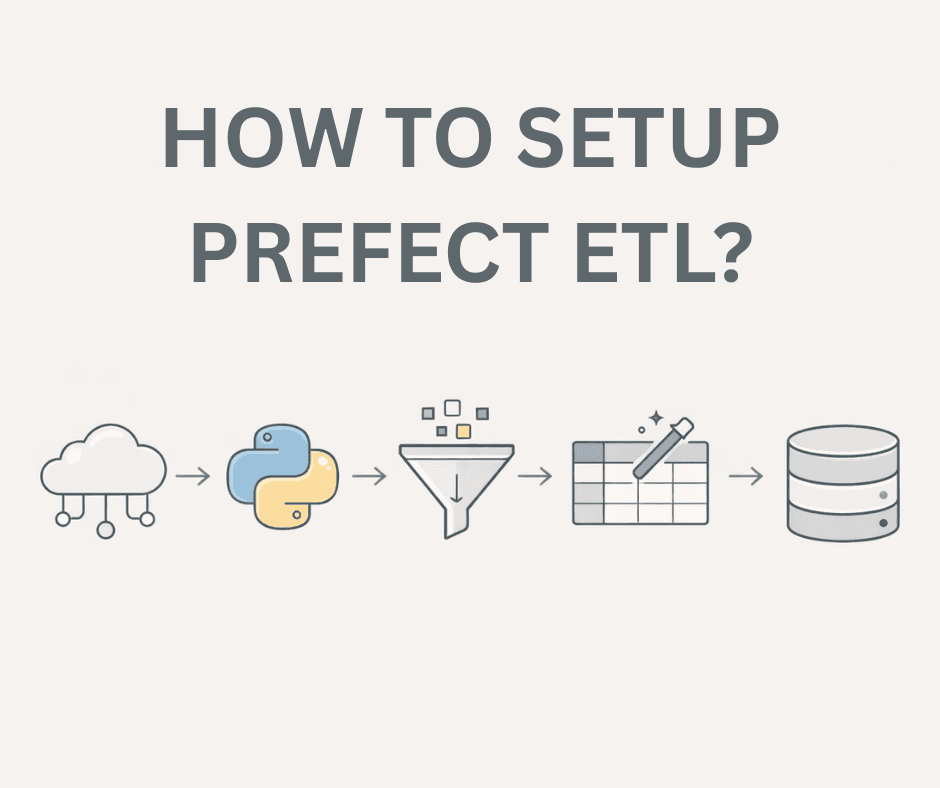
Prefect is among the well-known orchestration engines based on Python that is open source and helps in running Python functions as production-grade data processing pipelines seamlessly. It is basically a workflow orchestration platform that can greatly assist data scientists and data engineers in building, monitoring, and scheduling complex data pipeline workflows. Prefect thus provides a dependable way of defining workflows, executing them, and keeping track of their status.
Usually, Prefect is employed for automating ETL processes, data processing tasks, machine learning pipelines, and the like. It is capable of dealing with complicated and closely intertwined workflows and at the same time supporting scalability and reliability. Prefect serves a variety of purposes.
Prefect Usages
Prefect is used for multiple purposes. A few of the most common use cases include:
- One of its uses is to establish data pipelines and create complex ETL or ELT workflows, which also feature scalability.
- It comes in handy when tasks need to be initiated based on certain events, and those tasks are also closely interconnected.
- Setting up machine learning pipelines is another area where Prefect can be used. For instance, if there is a need for a model to be trained either on a fixed schedule or as a result of some specific triggers, Prefect would manage the entire process.
- AI workflows can also be a target of Prefect just like setting up machine learning pipelines. Whenever certain events happen, and those events have to trigger an AI-related workflow, Prefect can orchestrate the whole process.
- One of the major factors behind Prefect's popularity is its openness. The basic Prefect engine can be hosted locally, enabling complete control over data, privacy, and security.
We should see how a Prefect ETL setup is done. First, we highlight the basics.
Prefect Setup
The language used for the Prefect setup is Python. To begin with, make a Python virtual environment and install Prefect.
python3 -m virtualenv venv
source venv/bin/activate
pip install prefect
Upon Prefect installation, you have to develop Python functions that accomplish various tasks and then compose a flow that coordinates those tasks.
Here is a simple code example:
# main.py
import requests
import pandas as pd
from prefect import serve, flow, task

@task
def fetch_api_data():
    try:
        response = requests.get("https://fakestoreapi.com/products")
        if response.status_code != 200:
            return None
        return response.json()
    except Exception as e:
        print(f"Error fetching API data: {e}")
        return None

@task
def process_data(data):
    if data is None:
        return None
    if isinstance(data, list):
        return data
    return data.get("products", [])

@task
def save_data_in_csv(data):
    df = pd.DataFrame(data)
    df.to_csv("output.csv", index=False)

@flow(name="basic_etl_flow", log_prints=True)
def basic_etl_flow():
    data = fetch_api_data()
    processed_data = process_data(data)
    save_data_in_csv(processed_data)

if __name__ == "__main__":
    basic_etl_flow_deploy = basic_etl_flow.to_deployment(
        name="Basic ETL Flow",
        cron="0 12 * * *"
    )
    serve(basic_etl_flow_deploy)
Here, we show an example of using different functions for different tasks. We prefixed the decorator use with import from Prefect.
The fetch_api_data() function is annotated with @task, which lets Prefect know that this function is to be treated as a task. A task should be a function performing a specific unit of work.
The basic_etl_flow() function is annotated with @flow. This function orders tasks to work together. There must be at least one flow in a Prefect pipeline that is the entry point for execution. Tasks can call other tasks, but execution always begins with a flow.
Creating a flow deployment and setting a schedule with the cron parameter are done within the __main__ block. If there is no cron schedule, triggering, the flow has to be done manually. The serve() function launches the local deployment and keeps it running.
Running the Prefect Workflow (Local Server)
To use Prefect locally, you'll first need to get the Prefect server up and running:
prefect server start
After that, execute your workflow file:
python3 main.py
main.py here is the file where the Prefect workflow is defined.
Executing this, you will have flow execution logs shown in the terminal, and the Prefect local UI will allow you to monitor the flow, tasks, and schedules.
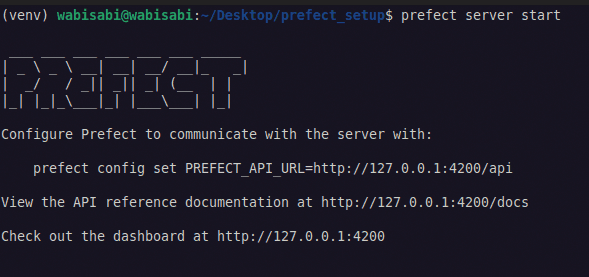
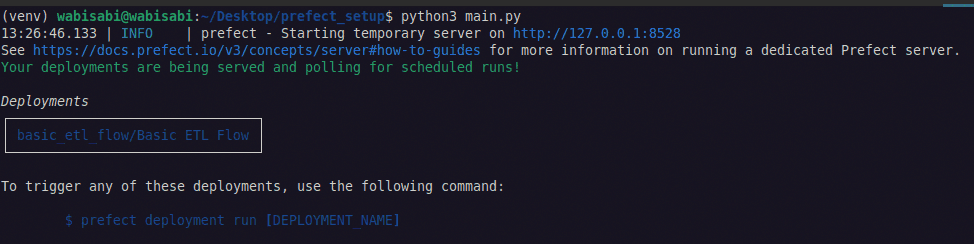
You can access the Prefect dashboard in 4200 port: http://127.0.0.1:4200
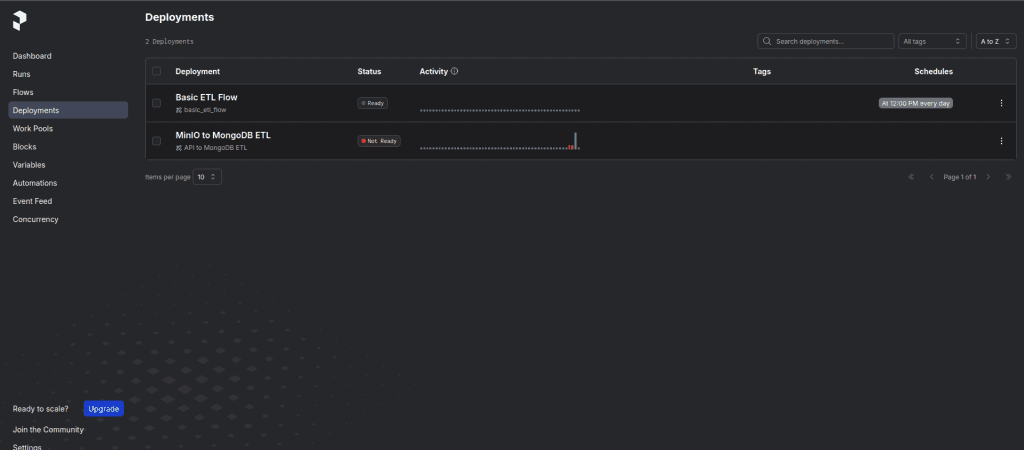
It is a simple ETL, and you can use it as a starting point.
Let us now proceed to discuss a little bit of advanced ETL. In this example, we make an ETL pipeline that gets data from an API, then performs enough processing and cleaning of the data, and finally, the data is saved in MongoDB.
Initially, put all the tasks and the flow logic into the etl_load.py file.
# etl_load.py
import os
import pandas as pd
from pymongo import MongoClient
from prefect import flow, task
import requests
from prefect.task_runners import ThreadPoolTaskRunner

# Environment variables
MONGO_URI = os.getenv("MONGO_URI")
MONGO_DB = os.getenv("MONGO_DB")
MONGO_COLLECTION = os.getenv("MONGO_COLLECTION")

MongoDB Connection
client = MongoClient(MONGO_URI)
db = client[MONGO_DB]
collection = db[MONGO_COLLECTION]

# Tasks
# Extract
@task
def fetch_data_from_api() -> pd.DataFrame:
    try:
        response = requests.get("https://fakestoreapi.com/products")
        if response.status_code == 200:
            return pd.DataFrame(response.json())
        raise Exception("Error fetching data")
    except Exception as ex:
        raise ex

# Transform
@task
def transform_to_list(df: pd.DataFrame):
    return df.to_dict("records")

# Load
@task
def load_to_mongodb(data: list):
    if data:
        print("Data inserted successfully")
        collection.insert_many(data)
    client.close()
    return len(data)

# Prefect flow
@flow(
    name="API to MongoDB ETL",
    task_runner=ThreadPoolTaskRunner(max_workers=3)
)
def api_to_mongo_etl():
    df = fetch_data_from_api()
    transformed_data = transform_to_list(df)
    count = load_to_mongodb(transformed_data)
    print(f"Inserted {count} records into MongoDB")
Then create a .env file and write your environment variables in it.
Next, create a main.py file that is responsible for running the flow.
# main.py
import os
from etl_load import api_to_mongo_etl
from prefect import serve

if __name__ == "__main__":
    api_to_mongo_etl_deploy = api_to_mongo_etl.to_deployment(
        name="API to MongoDB ETL",
        # cron=os.environ["CRON_SCHEDULE"]
    )
    serve(api_to_mongo_etl_deploy)
Inside main.py file, we are importing the flow from the other file and exposing it as a deployment. First, start the Prefect server and then execute the main.py file. That is the way you can run it.
If you have various flows, you can also consider the following approach to serve multiple deployments from a single file.
# In case of multiple deployments
import os
from deployment import deployment1, deployment2, deployment3, deployment4
from prefect import serve

if __name__ == "__main__":
    deployment_1 = deployment1.to_deployment(
        name="Deployment 1",
        cron=os.environ["CRON_SCHEDULE_1"]
    )
    deployment_2 = deployment2.to_deployment(
        name="Deployment 2",
        cron=os.environ["CRON_SCHEDULE_2"]
    )
    deployment_3 = deployment3.to_deployment(
        name="Deployment 3",
        cron=os.environ["CRON_SCHEDULE_3"]
    )
    deployment_4 = deployment4.to_deployment(
        name="Deployment 4",
        cron=os.environ["CRON_SCHEDULE_4"]
    )

    serve(
        deployment_1,
        deployment_2,
        deployment_3,
        deployment_4
    )
This method is useful for running multiple workflows from a single entry-point file.
There are so many configurations available for the Prefect .env file.
# .env

PREFECT_API_URL="http://127.0.0.1:4200/api"

# Set PostgreSQL connection
PREFECT_API_DATABASE_CONNECTION_URL="postgresql+asyncpg://postgres:password@localhost:5432/prefect"

# Configure Redis messaging
PREFECT_SERVER_EVENTS_MESSAGING_CACHE="prefect.server.utilities.messaging.redis"
PREFECT_SERVER_EVENTS_MESSAGING_BROKER="prefect.server.utilities.messaging.redis"

# Configure Redis messaging host and port
PREFECT_REDIS_MESSAGING_HOST="redis"
PREFECT_REDIS_MESSAGING_PORT="6379"
The above settings are typically used in a self-hosted Prefect scenario.
The PREFECT_API_URL is the location where the Prefect server is running. Setting this value is necessary when running the Prefect server on a different host or port. Registering and managing workflows in the orchestration system is done via this URL.
You can even set your database and messaging services if you want, but these are not required for beginners.
If your setup gets more complicated and multiple workflows are running simultaneously, it is a good idea to update your database configuration. Default Prefect uses SQLite, which causes application crashes due to database locking when multiple users access the database simultaneously.
One solution is to set up your own database, e. g., PostgreSQL. Just adding the database connection info in the .env file is enough; no other configuration steps are needed.
Conclusion
As a Python developer, you should always try to learn about ETL processes. In the open-source ecosystem, Prefect is among the top-notch workflow orchestration tools, and many developers choose it due to its simplicity and flexibility.
You can continue to explore Prefect by reading the official documentation and trying it out step by step.
You Might Also Like
 Best Practices
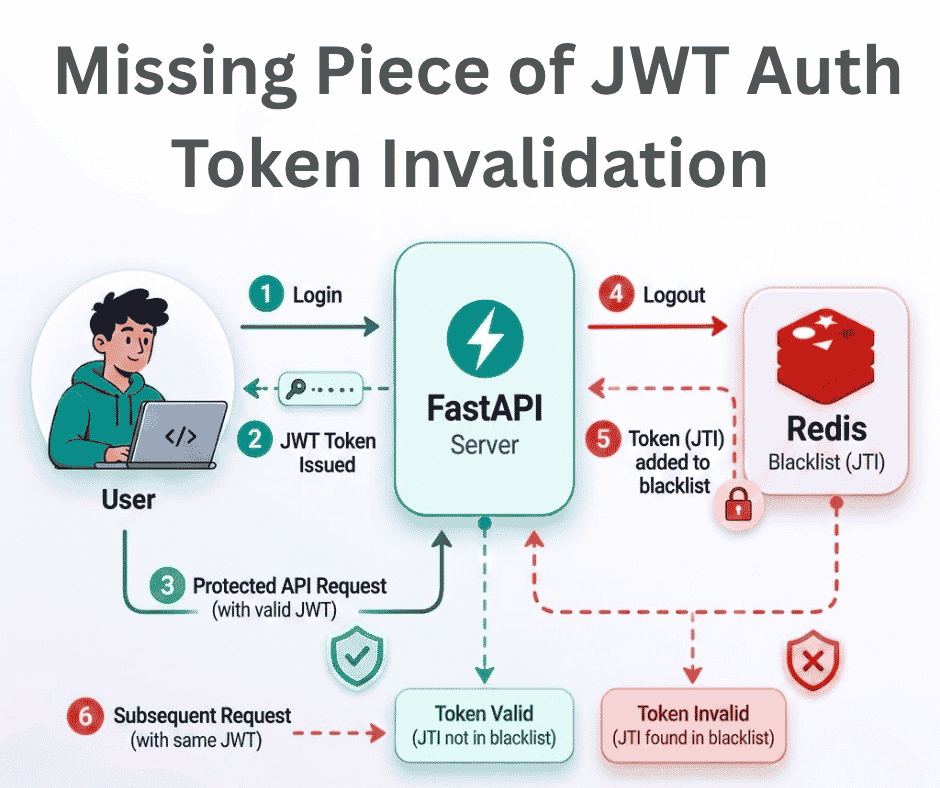
The Missing Piece of JWT Auth: Implementing Token Invalidation in FastAPI
JWT stands for JSON Web Token. It is an open standard that defines a compact and self-contained way to securely transfer data between two or more part
12 min read
 Backend & DevOps
Building and Deploying RustFS: S3 Storage Integration via Docker
Amazon Simple Storage Service (S3) is a popular object storage solution designed to help organizations build scalable, highly available, secure, and p
4 min read
 Backend & DevOps
High Performance Self-Hosted Bucket Storage for Developers
At scale, applications don’t store user-uploaded data such as images, videos, or other binary files directly in the database. Instead, this data is ha
6 min read